
Blog Date: 9/15/2023
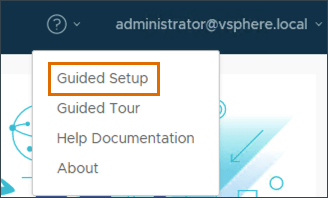
After VCF has been deployed, you can log into the SDDC manager and configure the backups for the SDDC manager and NSX. (This does not configure vCenter backups, so you will still need to log into the vcenter:5480 to configure that manually). You can opt to use the guided setup by clicking the question mark in the upper left.
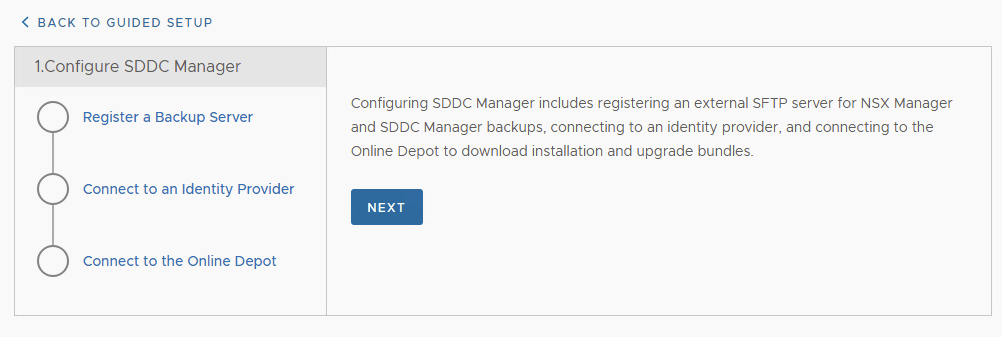
When the wizard loads, On the left side, click Register a Backup Server and click NEXT.
Select the four prerequisite check boxes and click NEXT. Register the external SFTP server to enable automatic backups for SDDC Manager. Note: The SSH fingerprint text box is automatically filled once a successful connection to the backup server has been made.
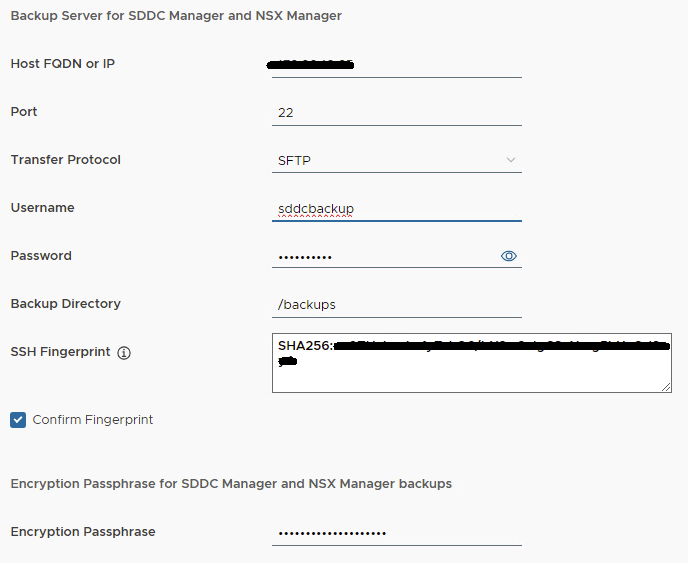
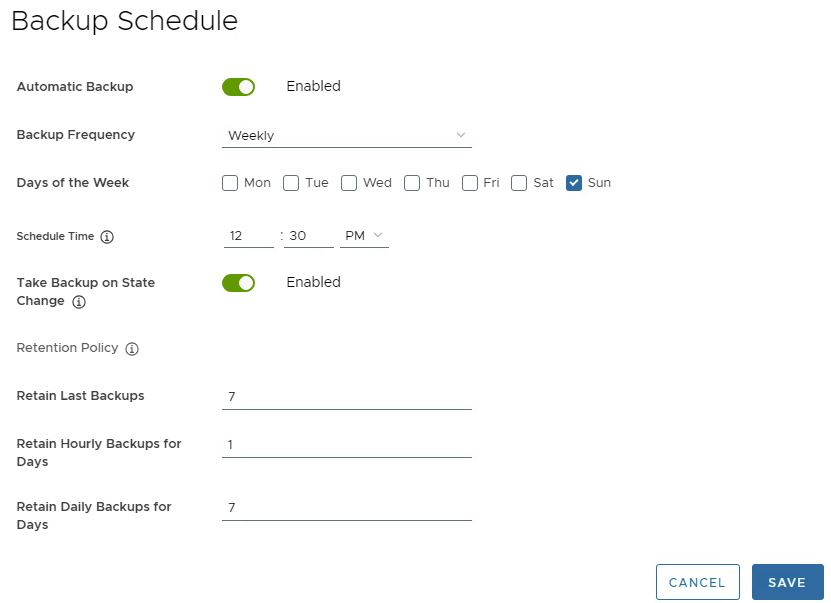
Click Register. Wait for the registration to complete and the Setup Automatic Backup page displays. Setup Automatic Backups configure the wizard with the values that best suite your backup strategy.
Click Save.
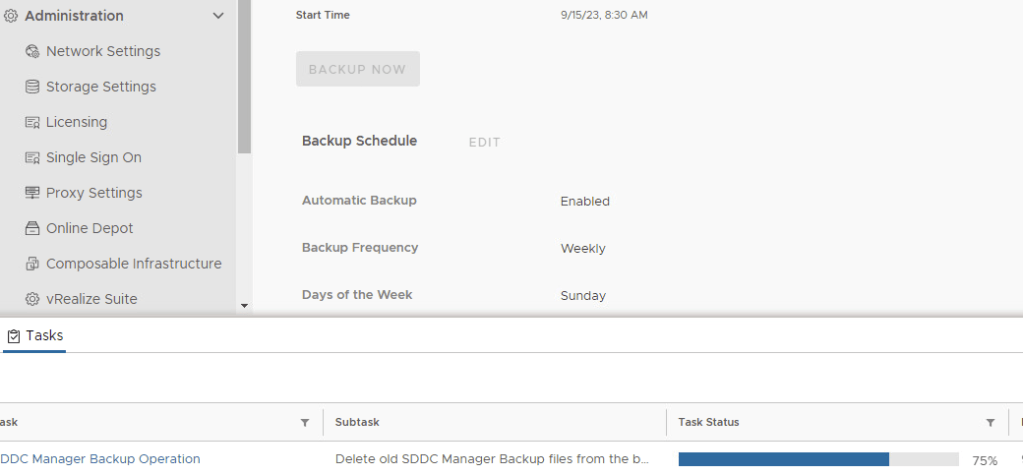
After the backup settings have been saved, it is wise to manually kick-off the backup job by clicking Backup Now. You can monitor the backup task job status in the bottom tasks pane.
For more information, see the official VMware documentation -> Backup and Restore of VMware Cloud Foundation.
In the next blog, I’ll walk through connecting VCF to an identity provider.
 CaptainvOPS
You must be logged in to post a comment.