
Blog Date: October 2025
Continuing from my original blog post entitled: VMware Cloud Foundation Home Lab Bom,
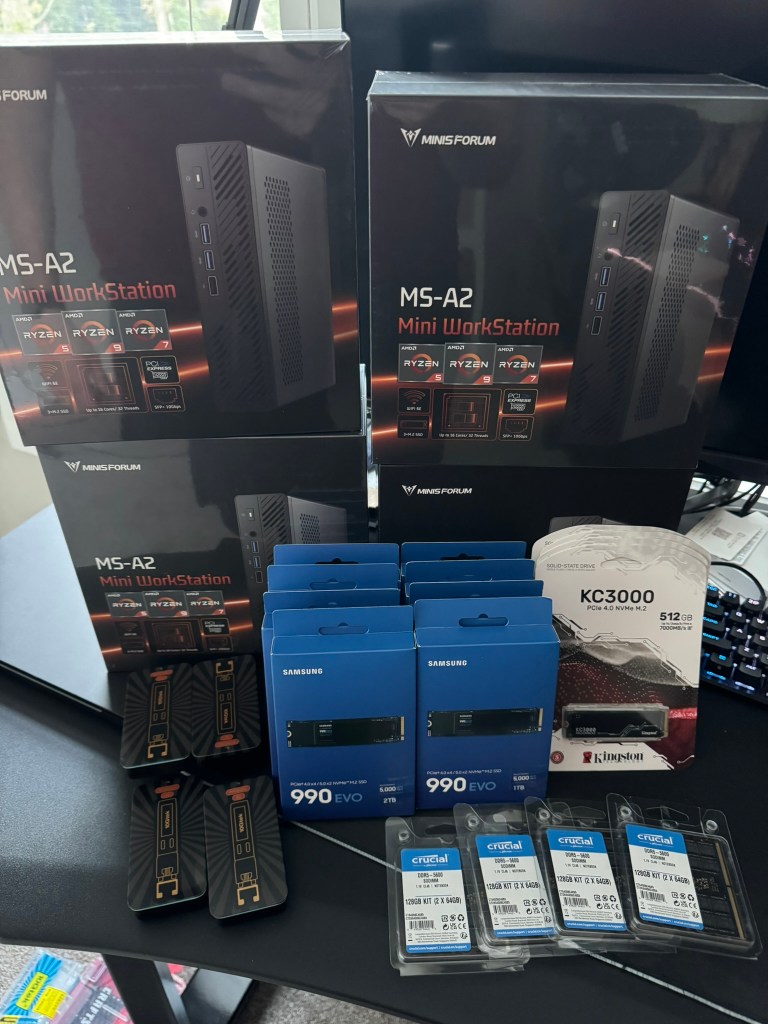
I went over the mini pc components and x4 MINISFORUM MS-A2 9955HX systems. In this blog I’ll cover the rack, rack mounts for the MS-A2s, UPS, and the 10G switch.
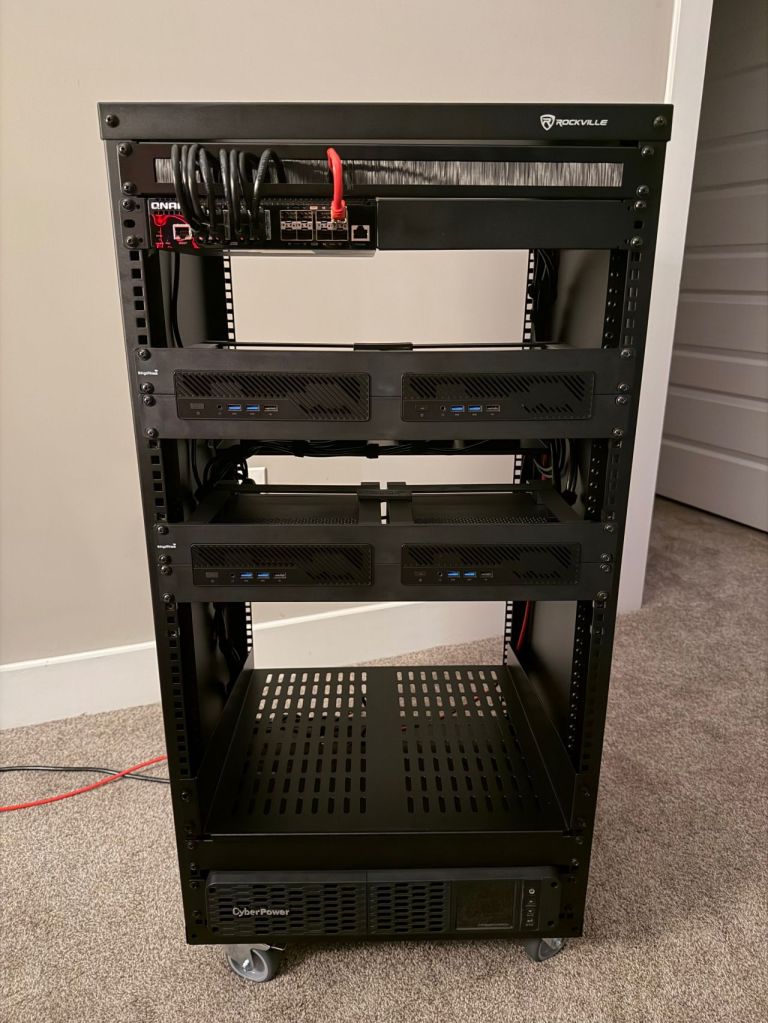
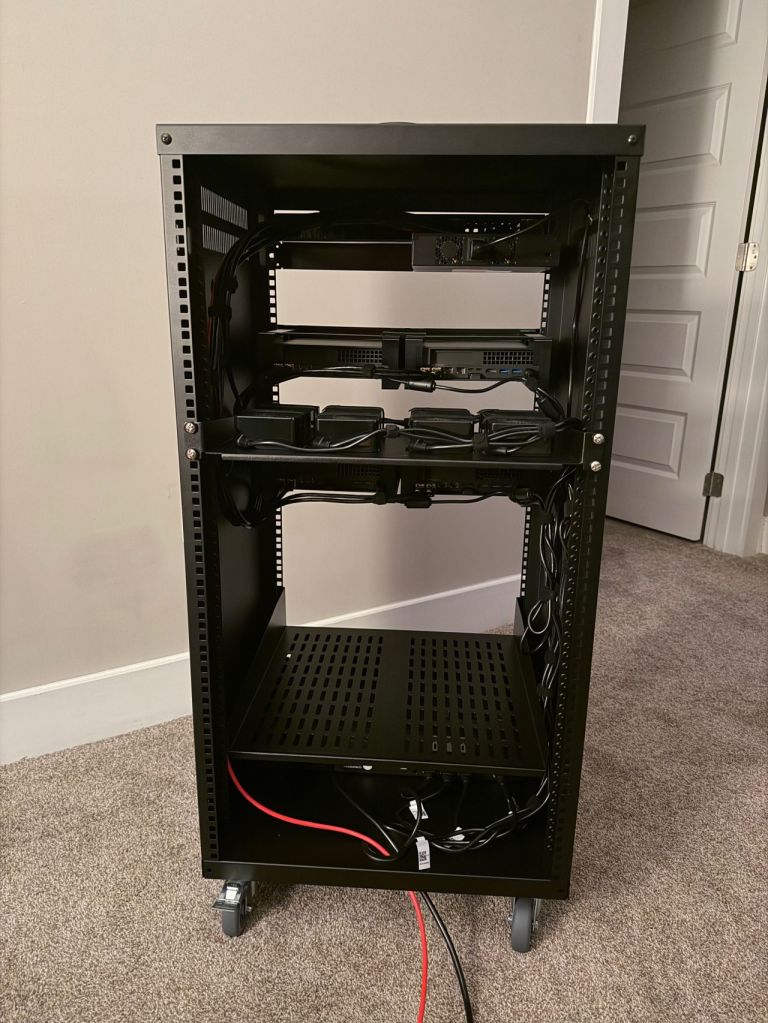
I am quite pleased with the wiring now that I have everything tidied up, although I forgot what a PITA cage nuts are. I’ve installed a shelf at the bottom for a future migration of my old lab 2x SuperMicro boxes that will either be used to host VCF Holodeck, or perhaps I’ll use them for a dedicated workload domain backed by NFS storage. The CPUs were depreciated in ESXi 8, but they still have some life left in them. Reaching into the way back time machine, that kit was Current CaptainvOPS Homelab 2020.
For the additional rack, rack mounts for the MS-A2s, UPS, and 10G managed switch:
| QTY | Item Description | Link | Total Price |
| 1 | A Rockville RR20U 20U Rack with wheels. | Amazon.com | $189.95 |
| 2 | Rack Mount for 2 MINISFORUM MS-01 19inch 2U Dual-Mount | Amazon.com | $166 |
| 1 | QNAP 16-Port Half-Width Rackmount 10GbE Managed Network Switch (QSW-M3216R-8S8T-US) | Amazon.com | $599 |
| 1 | CyberPower CP1500PFCRM2U PFC Sinewave UPS Battery Backup and Surge Protector, 1500VA/1000W, 8 Outlets, AVR, Short Depth 2U Rackmount | Amazon.com | $358.95 |
| 1 | 10Gtek 𝟭.𝟮𝟱/𝟮.𝟱/𝟱/𝟭𝟬𝗚-𝗧 𝗦𝗙𝗣+ 𝘁𝗼 𝗥𝗝𝟰𝟱, CAT.6a Copper Transceiver, Auto-Negotiation SFP+ Ethernet Module | Amazon.com | $44.99 |
| 1 | 1U Rack Mount Cable Management Panel with Tidy Brush Slot for Cable Entry | Amazon.com | $31.59 |
| 1 | 1U Server Rack Shelf – Vented Rack Mount Cantilever Tray for 19″ Network Rack | Amazon.com | $32.99 |
| 1 | (Optional) 2U Server Rack Shelf – Universal Vented Rack Mount Cantilever Tray for 19″ Network Equipment Rack | Amazon.com | $43.86 |
Total = $1,467.33
That brings the Grand Total for this new VCF 9 Home lab to $8,409.73
Thankfully I spread these purchases out over a couple of months. I assumed this would come in around 8k, but I over shot a little. RIP to my wallet.
I have a UniFi router that’ll handle the BGP so I did not need a new one. In my next blog, I’ll go over my basic network setup for this new lab.

 CaptainvOPS
You must be logged in to post a comment.