
Blog Date: December 2025
In my previous blog VMware Cloud Foundation Home Lab – Part 4 (VCF Installer with VMUG Advantage Download Token), I walked through the process of getting the Cloud Installer connected to the Online Depot using the Download Token for VMUG Advantage Members.
In this blog, I’ll go over the basic deployment of the VMware Cloud Foundation Installer appliance (formally VCF Cloud Builder) OVA, because there’s a new ‘feature’ that will trip you up if you’re not careful.
We’ve all installed OVAs before, but for the Cloud Foundation Installer OVA, there was something that I wanted to call out.
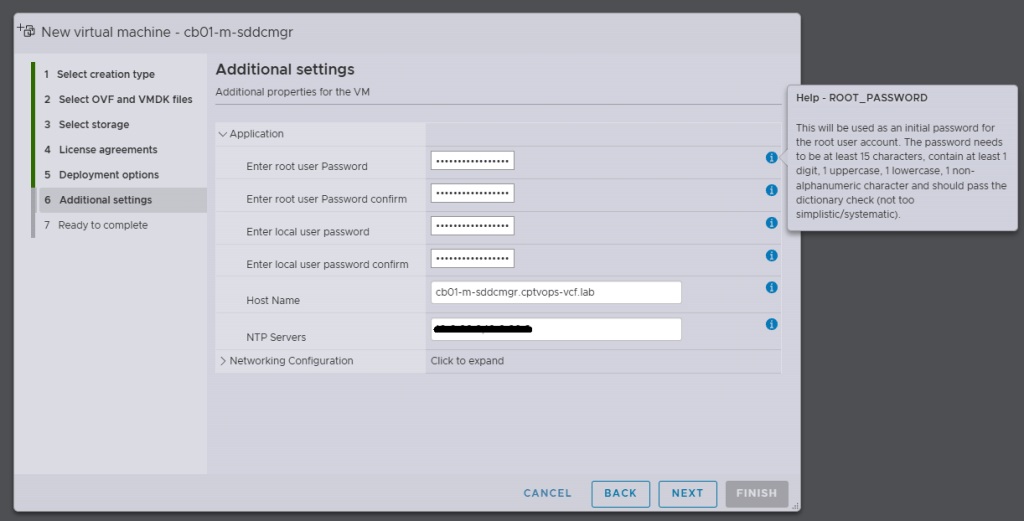
Specifically, when you’re deploying the OVA, be mindful of the new password requirements as they have changed. Previous versions of VCF through VCF 5.x, did not require a 15 character password. Apparently the quality control folks over in the VCF Division at Broadcom also forgot about this, because you can enter an 8 character passwords here, and the OVA deployment will continue as normal.
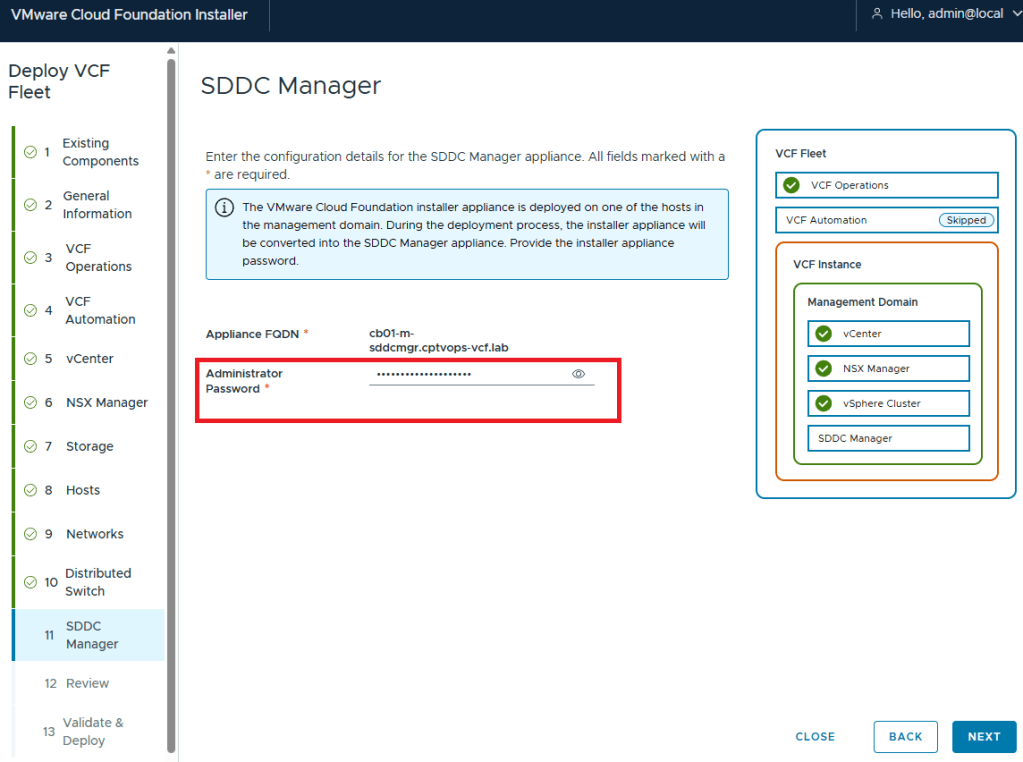
Why does this matter, well if we fast forward here a little bit, and get to where we are in the VMware Cloud Foundation deployment wizard on Step 11, you are again asked for the Administrator Password (local user). If you did not use at least a 15 character password during the OVA deployment, the wizard when you click [NEXT] will state that the Administrator password is incorrect . It doesn’t warn you that it is too short. So after a couple of tries, you will get kicked out of the wizard and back to the Cloud Foundation Installer login page, unable to log in because the local user (admin account) is now locked… I first observed this behavior during a customer deployment of 9.0, and found that the ‘feature’ is still there in the 9.0.1 I deployed for my home lab.
If you do find yourself in this situation, the admin@local account unlock procedure is straight forward, and Broadcom has a KB (Article ID: 403316) on how-to:
How to unlock the admin@local account on VMware Cloud Foundation Installer 9.0
If you need to reset the password for the admin@local account, Broadcom has a KB (Article ID: 403099) for that too:
How to Reset the Admin@local password in SDDC Manager
(#-__-)
 CaptainvOPS
You must be logged in to post a comment.